
Zurcit Intercom Coming soon
Call the kitchen.
Make free audio and video calls between your household’s iPhones and iPads. Ring the kitchen when dinner is ready, or leave a voice message for later.
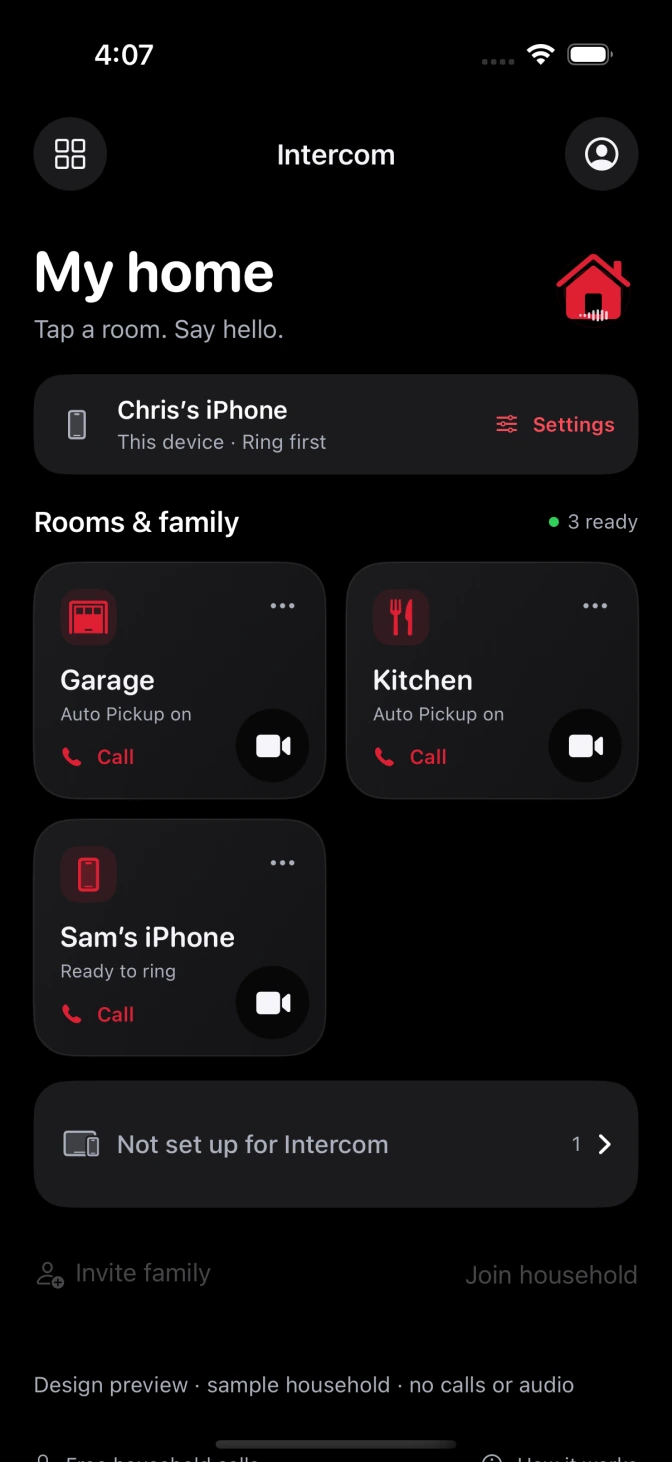
Set up your first room
Name the room
Sign in to Zurcit on each iPhone or iPad. Open Intercom on the kitchen device, choose Room speaker in Settings and give it a name.
Ring from another device
On your other device, open Rooms & family. Find Kitchen and tap Call for audio or the video button to see each other.
Leave a voice message
If it’s a bad time to talk, record a voice message, listen back and send it. Your family can play it later.
Calling and privacy
Who can answer automatically?
Calls ring first by default. On a room speaker, you can turn on Auto Pickup for specific household devices. A tone sounds before the microphone opens. The camera stays off during Auto Pickup.
What does a call cost?
Household audio and video calls are free. Optional two-way translation uses a separate balance and starts after both people agree. See translation packs.
What does each device need?
Both devices need an internet connection, Intercom set up and permission to use the microphone. Allow camera access for video. The receiving device must be reachable.
How long are voice messages kept?
Sent voice messages are available for up to 30 days. You can review a recording before sending it.