
Zurcit Translation Coming soon
One phone.
Two languages.
Put your iPhone or iPad between you and take turns speaking. Hear the other person in your language, then let them hear your reply in theirs.
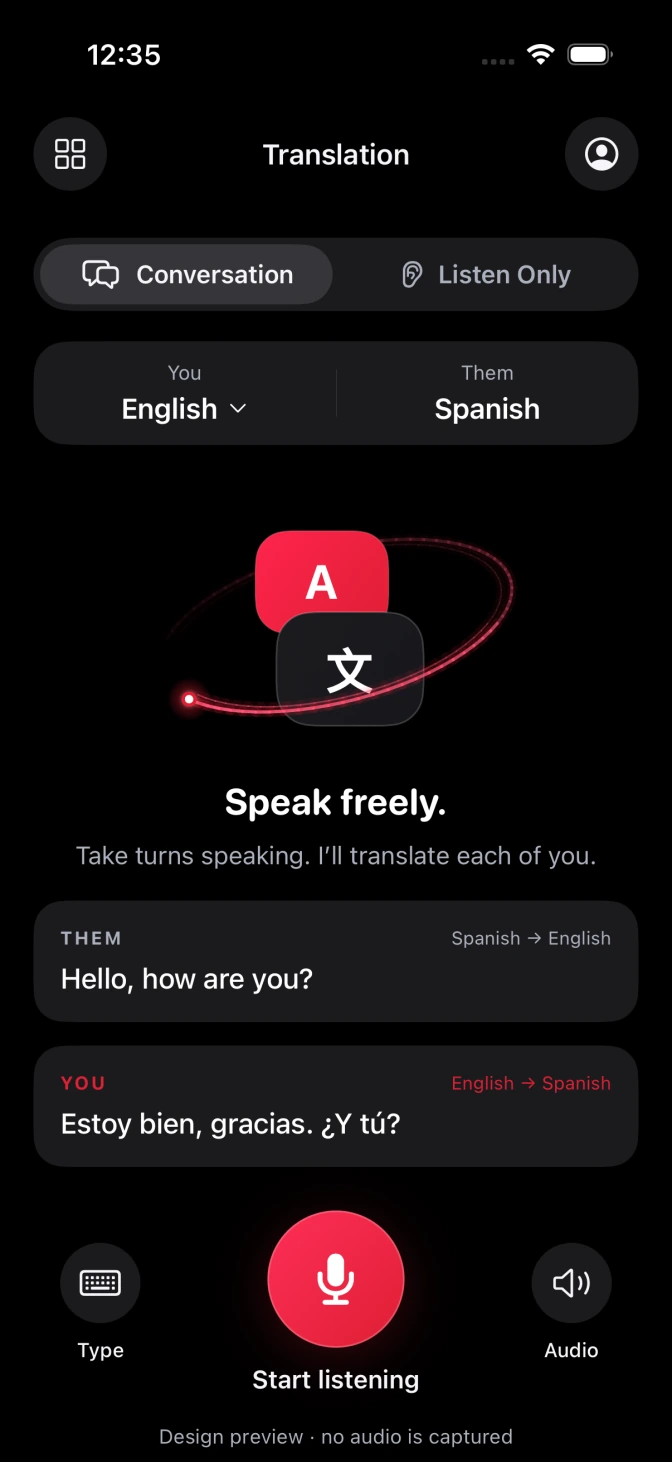
Start a conversation
Choose your language
Open Translation and select the language you want to hear. Zurcit detects the other language as the conversation begins.
Take turns speaking
In Conversation, tap Start listening. Let one person finish before the next person speaks. You can also type a phrase.
Listen in your language
Switch to Listen Only to follow someone speaking nearby. Use headphones to hear the translation privately while the phone keeps listening.
Listening and minutes
Do I need a phone number?
In-person Translation runs on one iPhone or iPad. It works without a Zingly number. Keep Translation open and connected to the internet. Allow microphone access for speech.
How are minutes counted?
One minute of in-person use takes one Translation minute. The planned one-time U.S. pack is $3.99 for 30 minutes. Translating a phone or Intercom call uses a separate Call Translation pack. Compare the packs.
Where is speech processed?
Speech and typed phrases are processed online. Zurcit does not save the audio or translations. Review names, numbers and other important details with the person you’re talking to.