
Choose your camera.
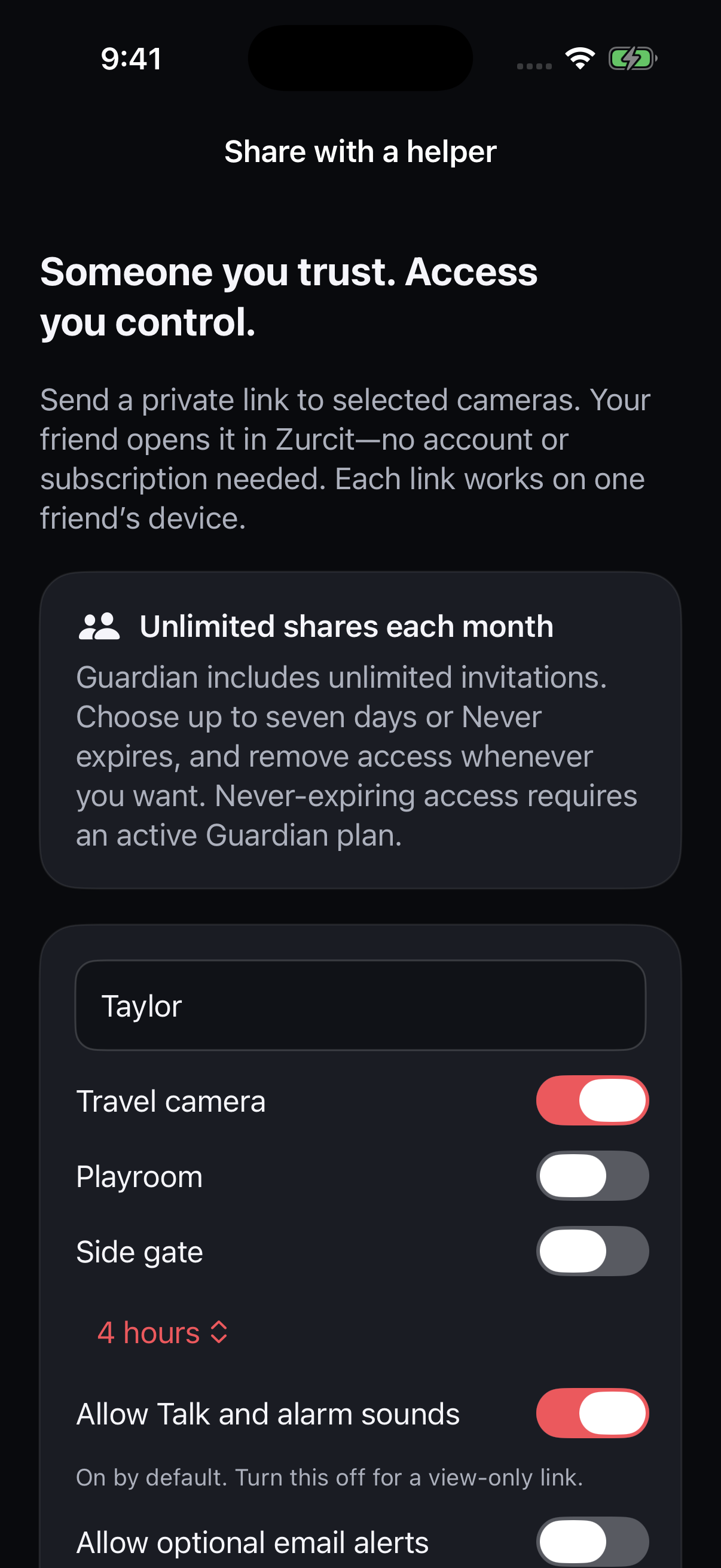
Share the owned camera you want someone to see.
YOUR WALK. YOUR BACKUP.
Send someone you trust a private camera link. They can see your live view and respond with the permissions you choose.
Private sharing on all plans · helper needs no account or subscription

Share the owned camera you want someone to see.
Choose its expiry and helper permissions. Send it yourself.
Turn the source camera on, then have your helper open the link and confirm the live view.
A PRIVATE INVITATION
YOUR EMOTIONAL SUPPORT HUMAN
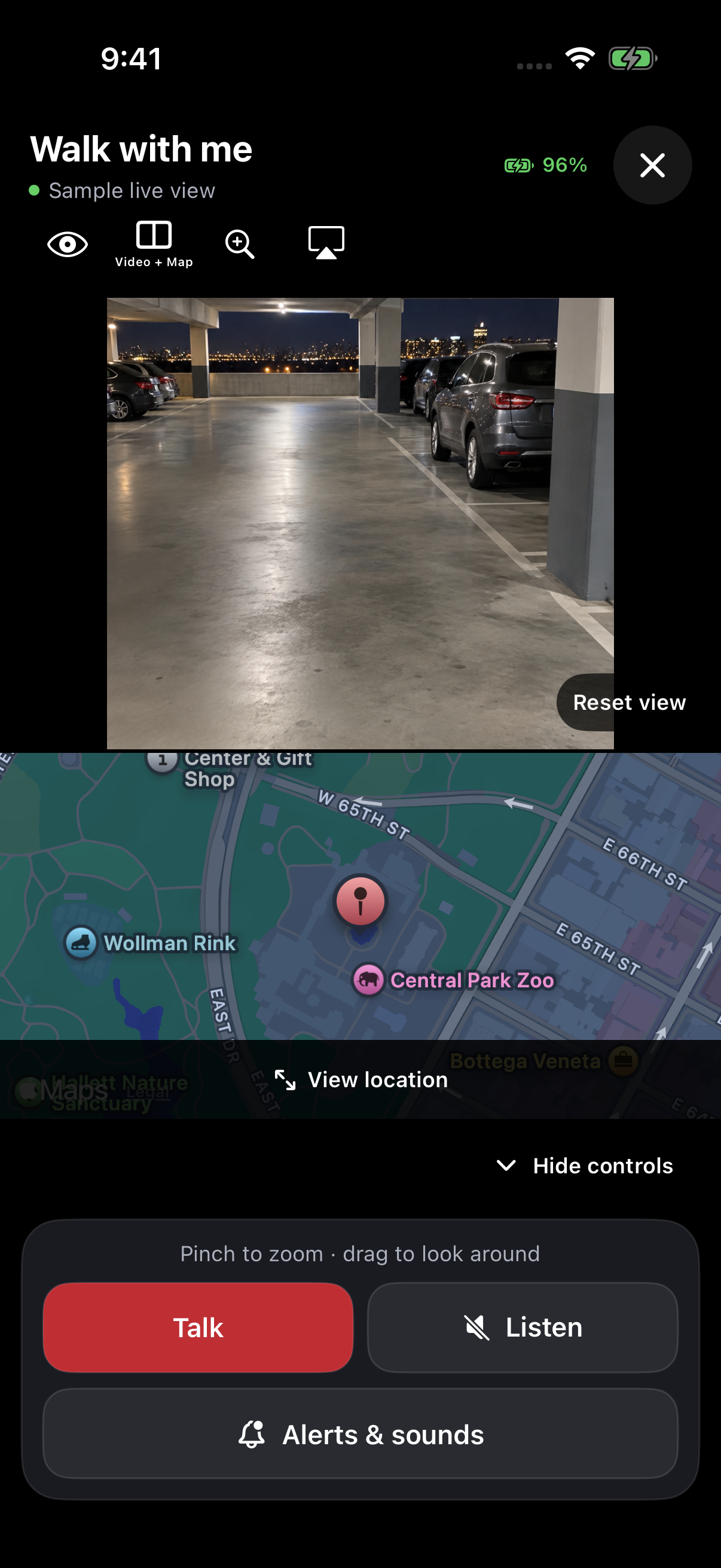
Keep the source phone unlocked, online and Zurcit open, with the camera lens clear. Zurcit does not contact emergency services.
Yes. Share a private invitation for your camera and enable Allow Talk and alarm sounds. Your friend opens the link in Zurcit and taps Talk. Your phone must stay online with Zurcit open; check its speaker output and media volume together before you leave.
The source phone needs camera permission for video and an internet connection. The helper allows microphone access to use Talk. GPS is optional and needs location permission on the phone sharing its position. Both devices can use Wi-Fi or mobile data; they do not need to be on the same network.
Yes. Open your invitations and choose Remove access. You can stop location sharing separately. Access also ends at a timed invitation’s expiry. A helper can keep copies they already downloaded or captured.
Listen is separate from Talk. Enable live room audio on the source camera and allow microphone access if you want an authorized viewer to hear the room. The viewer taps Listen to unmute it. You can share video without enabling room audio.
No. A helper needs Zurcit installed, with no account or subscription required to open the invitation.
No. This is optional foreground location sharing, not continuous background tracking.
Yes. Create a separate invitation for each helper device. Up to 20 invitations may be active at once; plan limits apply when creating them.
KEEP EXPLORING